
Power
Digital Twins Process Modelling Collaboration AI Governance Knowledge Mining Digital Transformation
Accelerate change.
Unlock enterprise agility with the world's first AI-native management system combining real-time collaboration, enterprise governance and process operations.

Platform Capabilities
Everything you need to model and optimize your business processes at enterprise scale.
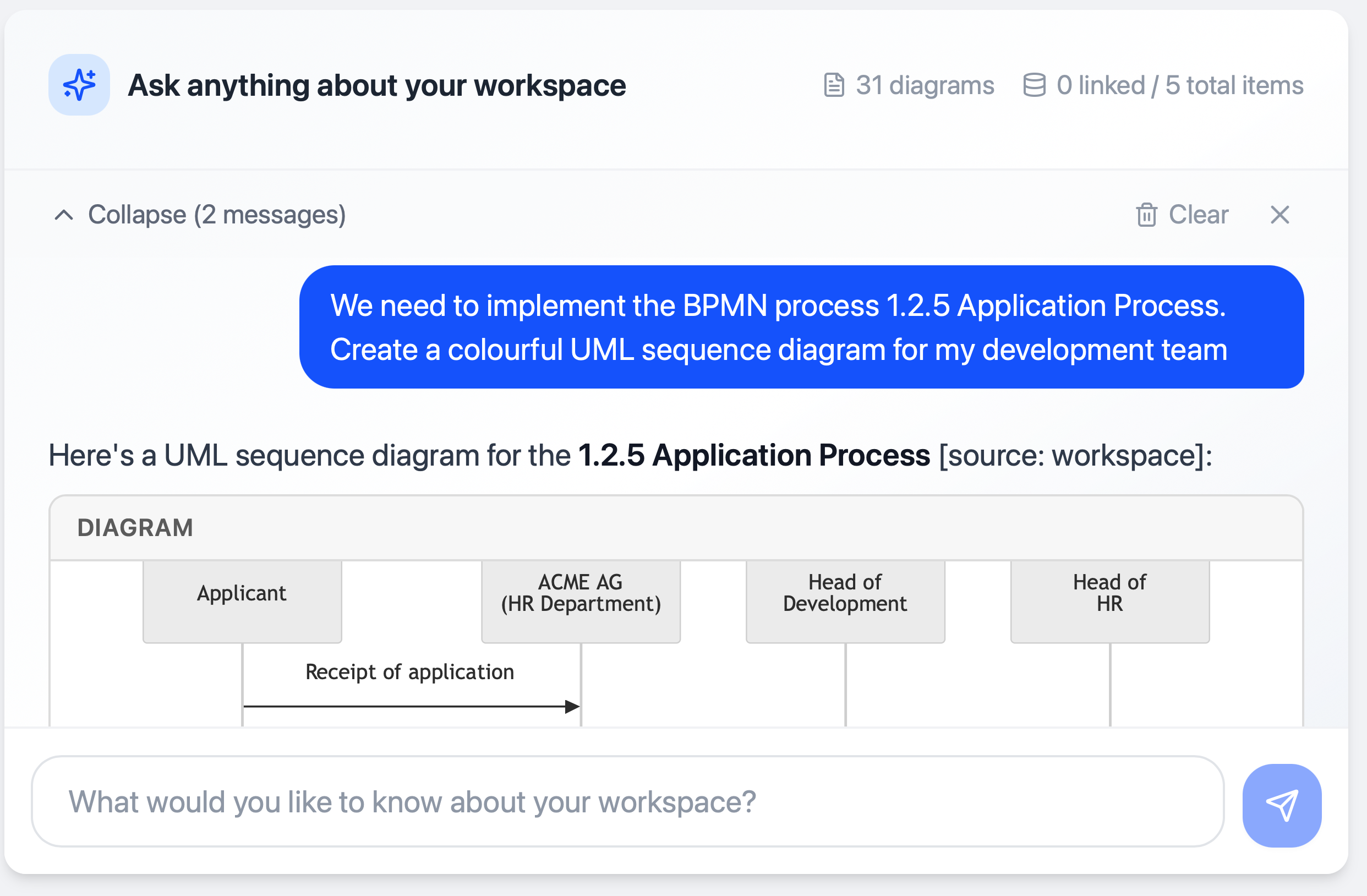
Enterprise AI Knowledge Base
Store your structured and unstructured data such as Processes, Operating Procedures, Reference Models, Checklists, Policies, Architecture Diagrams and much more...
Govern AI Knowledge:
- Provide Single-Source of Truth for Employees, Agents and 3rd Parties
- Consume once, use anywhere with controlled APIs and MCP servers
- Instead of thousands of poor quality documents and diagrams impacting users and AI, control authoritative sources
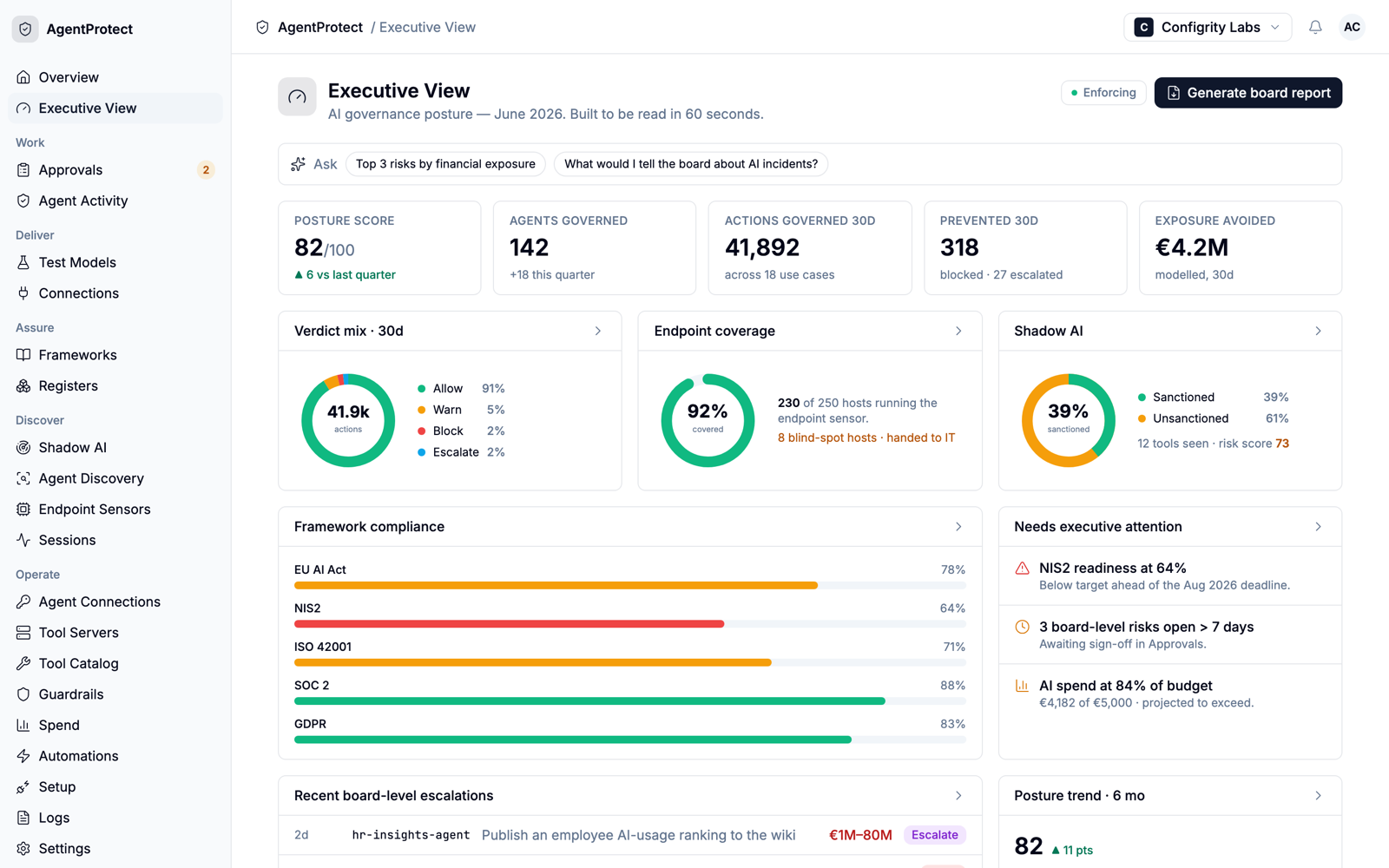
AgentProtect
Govern every action your AI agents take — AgentProtect enforces security, regulatory and business compliance at every endpoint and gateway, in real time, with an immutable audit trail.
Govern AI Agents:
- Allow, warn, block or escalate every agent action against policy and law
- Real-time endpoint sensor sees local agents, IDE copilots and shadow AI — not just gateway traffic
- Immutable, exportable evidence built for the EU AI Act
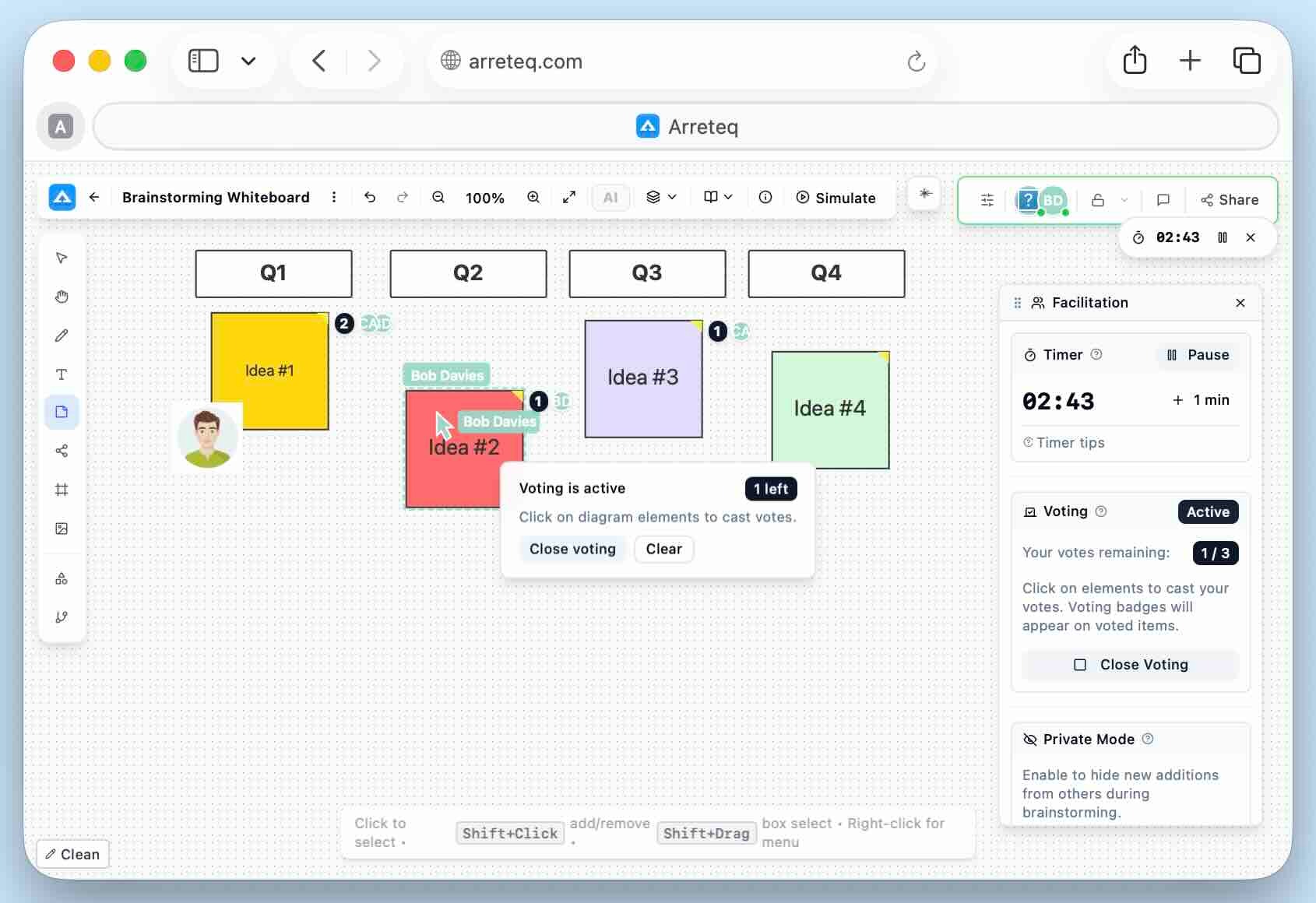
Collaborative AI-Powered Diagramming
Real-time collaborative modelling available from anywhere in the world — bring your whole team together for interactive workshops with powerful facilitation and governance tools.
Key capabilities:
- Live real-time modelling from anywhere in the world
- Bring your whole team together for interactive workshops
- Powerful facilitation features
- Customisable Change Approval Workflows & Publishing Rules
AI-Driven Architecture Intelligence
A system of record for the whole enterprise — interface and synchronise your landscape across CMDB, ITSM and beyond with AI-driven insights.
Key capabilities:
- Automated model generation from documents
- Predictive architecture impact analysis
- AI-assisted roadmapping
- Interface and synchronise your landscape (CMDB, ITSM)
- Anomaly & drift detection *(coming soon)*
Digital Twin of the Enterprise
Move from static documentation to strategic simulation — model, test and validate architectural decisions before committing to change.
Key capabilities:
- Move from documentation to strategic simulation
- Create alternative architecture states
- Simulate impact on cost, risk, and compliance
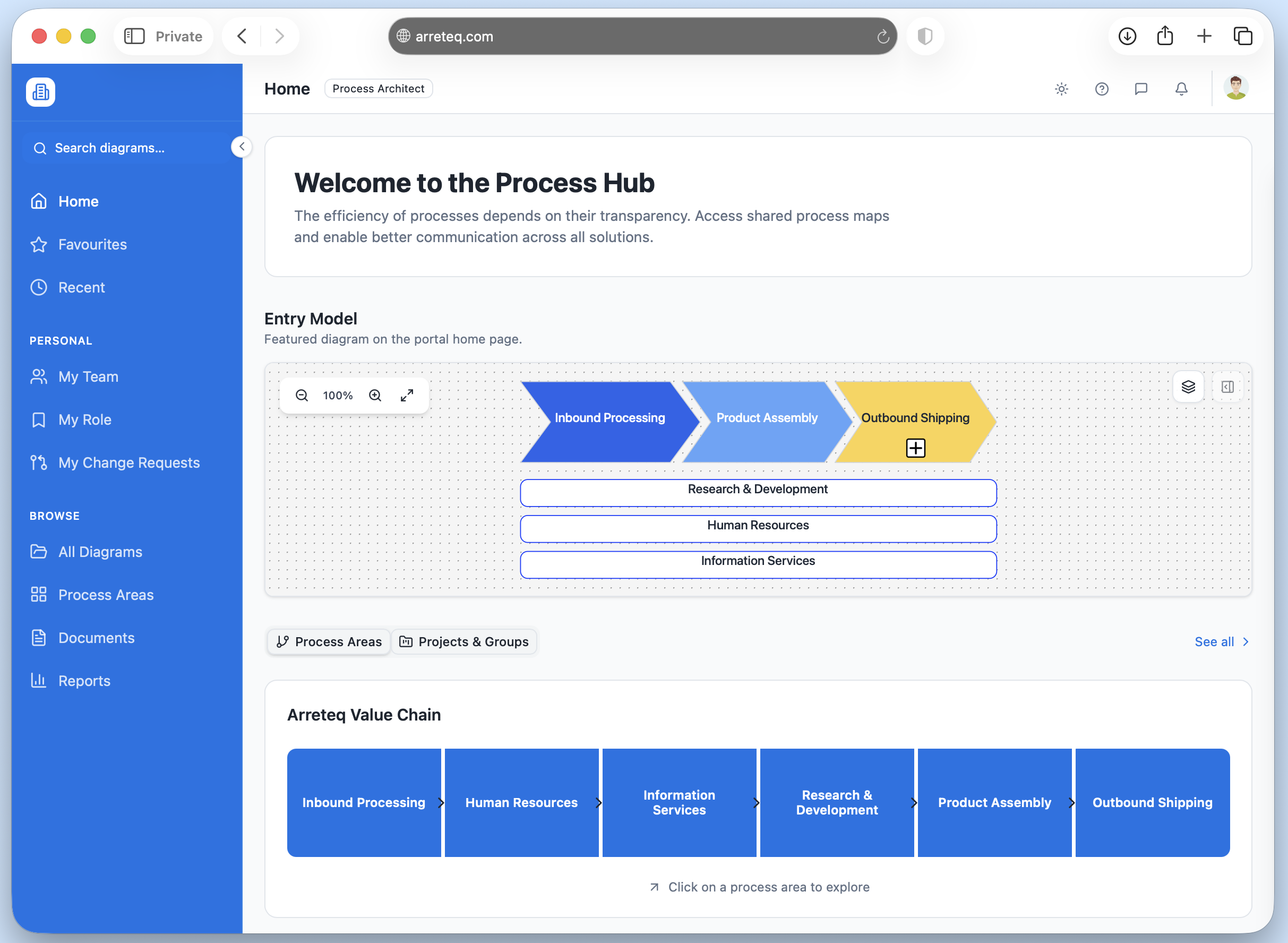
AI-Powered Compliance, Audit & Policy Automation
Automate the end-to-end compliance lifecycle with AI-generated policies, automated audit evidence collection and continuous regulatory monitoring.
Key capabilities:
- AI-generated policies based on ISO standards, industry frameworks or local regulations
- Automated audit evidence collection & readiness
- AI-assisted internal audits
- Regulatory change monitoring
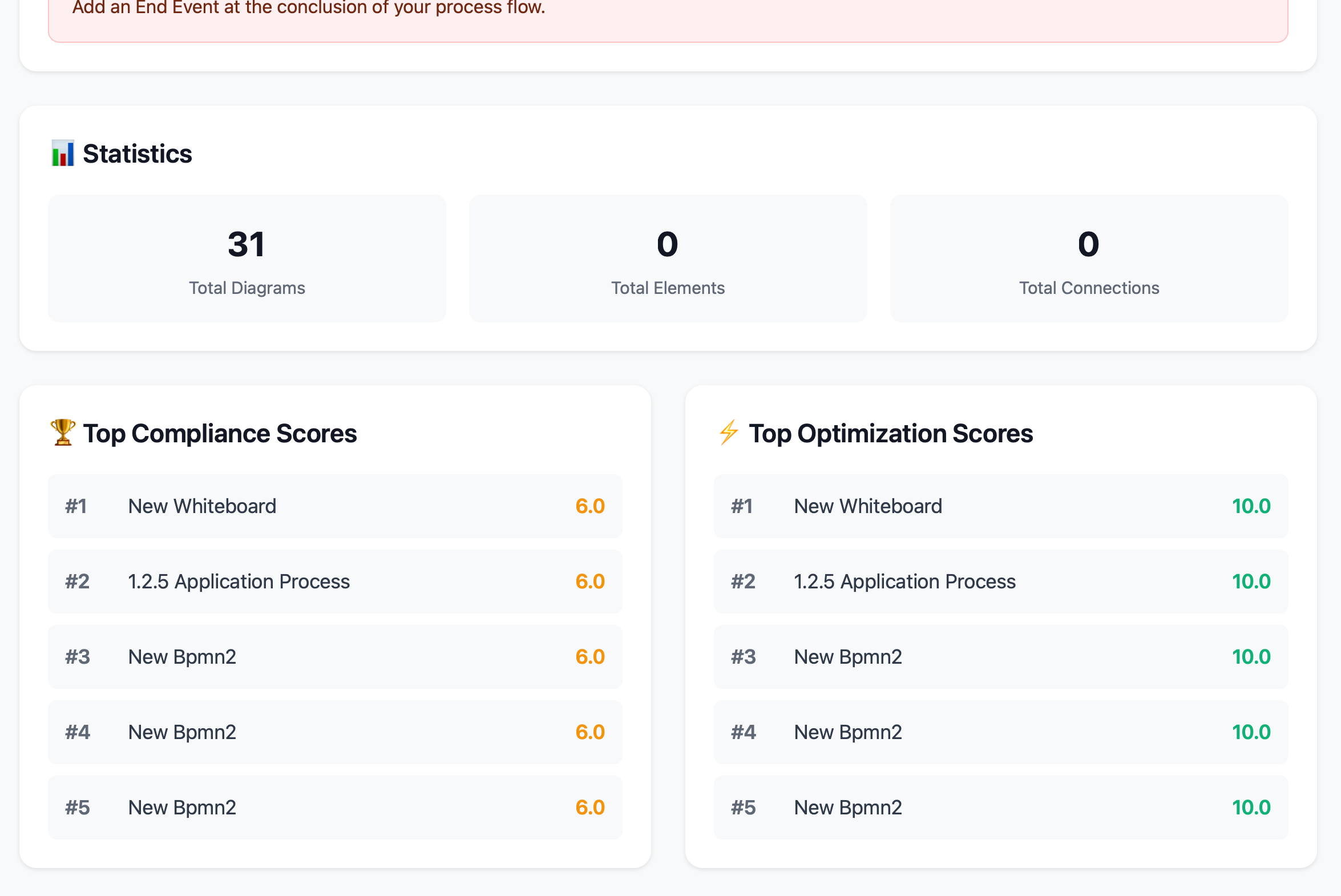
Real-Time Operational Performance & Risk
Connect live operational data to your process layer for continuous performance monitoring, automated risk scoring and predictive insights.
Key capabilities:
- Live KPI dashboards from ERP, CRM, MES, HR, and ITSM systems
- Automated risk scoring based on incidents, defects, and customer complaints
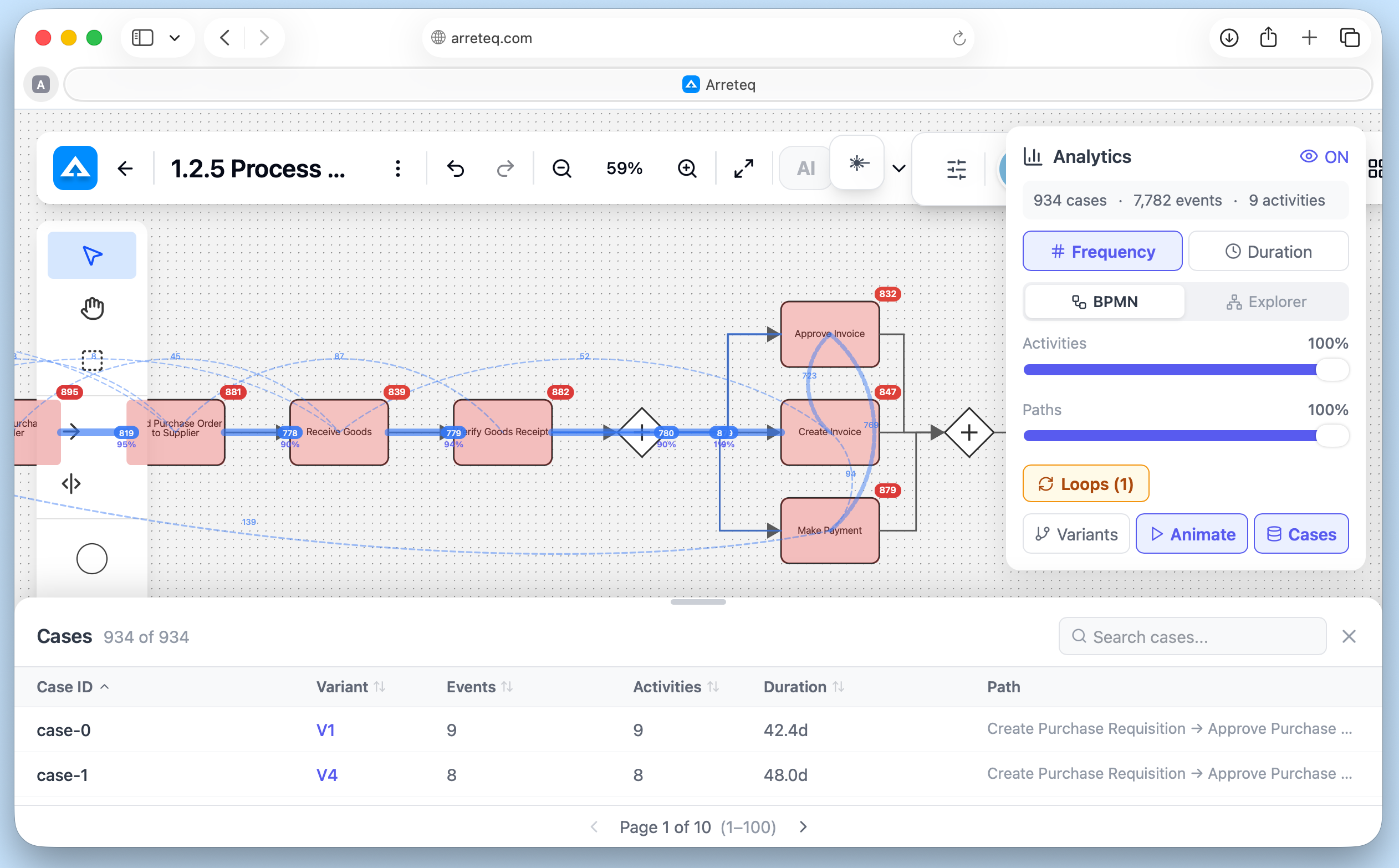
- Process mining & digital workflow insights
- Trend analysis & predictive risk modelling
Features
Everything you need to model, analyse, and govern your processes — in one platform.
Real-Time Collaborative Editing
Collaborate in real time with live presence and CRDT sync.
BPMN 2.0 Process Modelling
Create standards-compliant BPMN 2.0 process diagrams.
Multiple Diagram Types
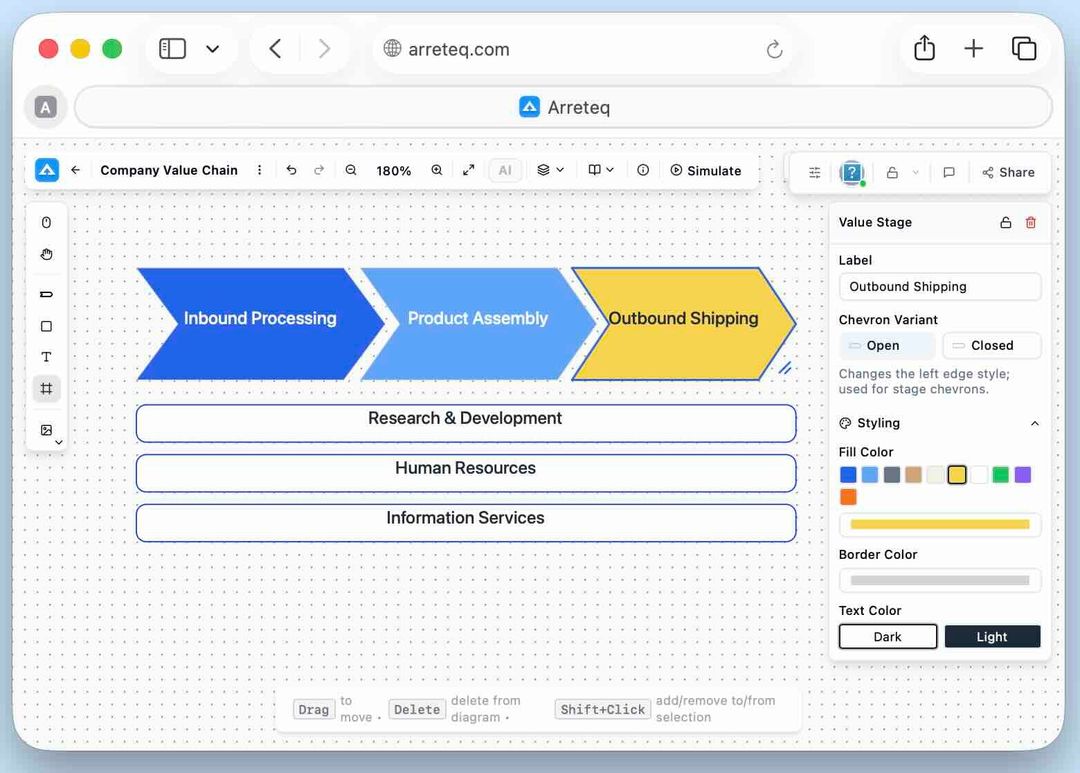
BPMN, Flowcharts, Whiteboards, Value Chains, and Mind Maps in one workspace.
AI Process Assistant
In-diagram AI assistant for suggestions, fixes, and diagram generation.
BPMN Validation & Compliance Scoring
Automated BPMN checks with clear explanations and one-click fixes.
Process Mining
Discover process models from event logs and visualise performance metrics.
Enterprise Architecture Repository
A configurable EA repository for portfolios, capabilities and roadmaps.
EA Analytics Dashboards
Custom dashboards to visualise architecture and portfolio metrics.
Linked Diagram Drill-Down
Navigate between diagram levels via drill-down markers, with breadcrumb back-navigation.
Read-Only Stakeholder Portal
Branded read-only portal for stakeholders with role-based content filtering.
Presentation Mode
Step through diagrams with zoom and laser pointer for guided walkthroughs.
PowerPoint & SVG Export
Export as PPTX slides or SVGs, with native PowerPoint objects for further editing.
Template Gallery
Industry-standard process templates and blank starters for every diagram type.
Whiteboard with Rich Media
Freeform canvas with sticky notes, freehand shapes, frames, and rich-text labels.
Diagram as Code
Define diagrams in text syntax and store them in version control like source code.
Multi-Tenant Workspace Management
Isolated tenants, RBAC/ReBAC, AWS Cognito SSO, and fine-grained permissions.
Version History & Change Governance
Full audit trail, named versions, diff overlays, and change request workflows.
Inline Comments & Annotations
Threaded comments anchored to any element, resolved without altering the diagram.
Auto-Layout & Alignment Tools
One-click automatic layout with alignment guides and smart port positioning.
Process Simulation
Simulate BPMN flow to visualise throughput and identify process bottlenecks.
Frequently Asked Questions
Which sectors do you serve?
We support finance, manufacturing, healthcare, and other complex industries.
Does the platform scale easily?
Our solution adapts to organizations of any size, from startups to enterprises.
Is onboarding and support included?
Guided onboarding and dedicated support are provided with every plan.